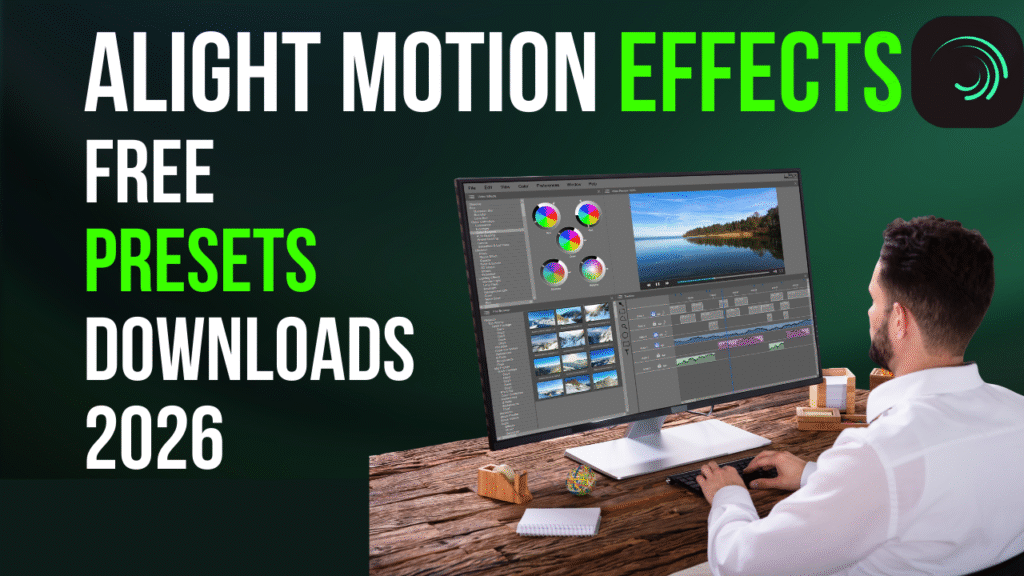
Alight Motion Effects Free Presets Downloads 2026
Alight Motion continues to lead the mobile video editing app scene in 2026, providing creators with powerful motion graphics, animation editing, and stunning video effects, all on their smartphones. Whether you’re an aspiring content creator or an experienced editor, mastering Alight Motion’s effects and presets can elevate your projects to cinematic levels. This guide dives deep into the best free Alight Motion effects, how to access presets and downloads, and practical tips for creating vibrant animation and aesthetic edits.
What is Alight Motion?
Alight Motion is a professional-quality motion graphics app for iPhone, Android, iPad, and Mac. It offers advanced video editing tools combined with animation editing capabilities like keyframe animation, vector graphic support, and a robust library of video effects. Its intuitive interface has made it a favorite mobile video editor for short-form content creators, TikTokers, and VFX enthusiasts.
Key Features of the Alight Motion App
1. Multi-layer Editing
In Alight Motion, multi-layer editing means you can stack many different types of media, video clips, images, text, shapes, audio, effects, each on their own separate layer. Each layer can be individually moved, trimmed, resized, animated, or adjusted without affecting the other layers. This gives you precise control over composition and timing: for example, you could put a background video on one layer, overlay animated text on another, add music on a separate audio layer, and apply visual effects on yet another, all independently. Because of this flexibility, you can build complex edits, motion graphics, and professional-quality animations directly on your phone, arranging and editing each component separately before combining them into the final video.
2. Keyframe Animation
Keyframe animation in Alight Motion is a feature that lets you create smooth, custom movements by setting “keyframes,” which are points on the timeline that mark the start and end of a change. Between those points, the app automatically fills in the motion, whether it’s moving an object, changing its size, rotating it, adjusting colors, shifting opacity, or applying effects. This gives you full control over how every element behaves frame by frame. For example, you can make text slide in, an image zoom out, or a shape rotate and fade at the same time, simply by adding keyframes to the desired properties.
3. Extensive Effects Library
Alight Motion offers an extensive effects library, meaning a large and diverse collection of built-in visual effects, filters, distortions, color corrections, lighting effects, overlays and more, all ready to use in your video or animation projects.Whether you need a subtle color correction, a dramatic glow, a dreamy blur, a glitchy distortion, or advanced motion-graphic effects, the library gives you many options to stylize and enhance your layers.You can apply multiple effects on a single layer (or different layers) and customize their settings, adjusting intensity, blending, timing, and more to create a unique final look.
4. Vector and Bitmap Support
Vector and Bitmap Support in Alight Motion means the app can work with both vector graphics and bitmap (raster) images, giving editors more flexibility in how they design and animate visuals. Vector graphics, such as shapes, lines, and drawings created inside Alight Motion, are made from mathematical paths, so they stay sharp and clear even when you zoom in or scale them up. This makes vectors perfect for logos, icons, and motion graphics. Bitmap images, on the other hand, are regular photos and pictures made of pixels, which may lose quality when enlarged but are ideal for realistic visuals and textures.
5. Export Flexibility
Export flexibility in Alight Motion refers to the app’s ability to let users save and share their projects in a wide variety of formats, resolutions, and settings. Whether you are creating a short video, an animation, or a GIF, Alight Motion allows you to export your work as MP4, GIF, or image sequences, and you can choose different resolutions, frame rates, and quality levels to suit your needs. This means you can optimize your project for social media, professional presentations, or personal archives. Additionally, the app supports transparent backgrounds for animations, making it easier to integrate your work into other projects. With this level of export control, users have full flexibility to deliver their content in exactly the way they want.
Using Alight Motion Effects and Presets
Alight Motion’s effects range from subtle aesthetic filters to bold cinematic VFX. Presets save time by letting you reuse favorite styles and animations, improving workflow efficiency. Many creators share free preset packs and templates that can be imported to speed up editing.
- Popular Effects: Blur (Gaussian, radial), glitch effects, glitch transitions, vibrant color grading, neon glows, and retro VHS filters.
- Presets: Animation easing, text transitions, video overlays, and motion blur presets.
- Free Downloads: Many communities, including official forums and creator groups, provide free downloadable presets compatible with the latest 2026 version of Alight Motion.
Common Use Cases for Alight Motion Effects
- TikTok and Instagram Reels: Use fast transitions, beat-synced animations, and color pops to capture attention.
- Anime and Fan Edits: Apply layering and masking with custom motion graphics and glitch effects.
- Aesthetic Edits: Soften clips with blur and gradient overlays, enhanced by smooth keyframe easing.
- VFX and Cinematic Edits: Combine multiple effects like light leaks, fog, and shadow fades to build atmosphere.
Step-by-Step Guide: How to Use Effects and Download Presets
- Access Effects: Open your project and select the layer to edit, tap the ‘Effects’ menu, and browse categories.
- Apply Effect: Choose your desired effect or filter and adjust its parameters on the timeline using keyframes.
- Save Presets: Once customized, save your effect as a preset for quick reuse in future projects.
- Import Free Presets: Download preset packs from trusted sources, import XML or preset files via Alight Motion’s import feature.
- Use Templates: Explore template libraries compatible with 2026 app updates to jumpstart complex edits.
Safety Notes on Mod APKs and Unofficial Presets
While many users seek mod APK versions to unlock premium effects, it’s important to understand these are unofficial, potentially unsafe, and often illegal. Installing unauthorized versions risks malware, crashes, and loss of warranty support. Always prioritize using official app versions from trusted stores and download presets from reputable communities to protect your device and data integrity.
Conclusion
Mastering Alight Motion effects elevates your mobile video editing, whether for social media storytelling or professional projects. The availability of free presets and templates in 2026 offers endless creative inspiration and workflow speed. Choose official apps, leverage the diverse effects library, and keep experimenting with keyframe animation to unlock your full creative potential.